
This article explains how to move your ticket templates and schedules to the new Recurring Tickets app and answers common questions about upgrading.
How do I migrate to the new version?
You can transfer your existing configuration using CSV exports and imports.
- Install the new Recurring Tickets app. Follow the installation link on our website or if you are a Suite customer, install from the new Suite app. Use NOCC at checkout to start a trial without entering card details.
- Export your ticket templates from the legacy app as a CSV.
- Import the templates in the new app under Ticket templates → Actions → Import from CSV.
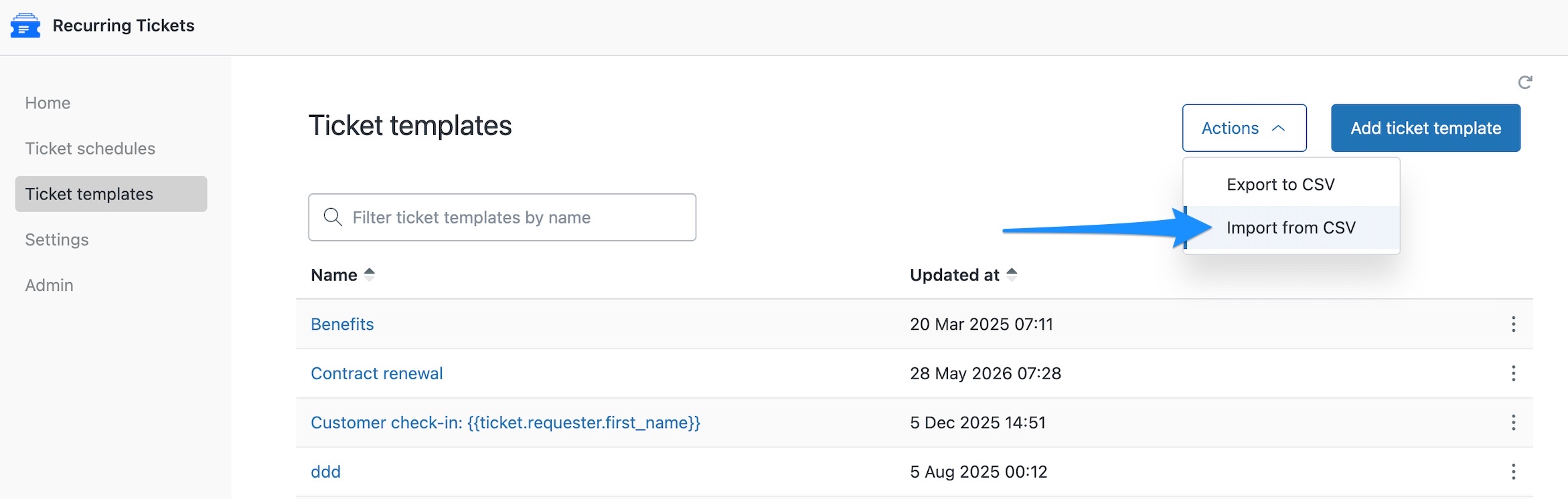
- Export your Ticket schedules from the legacy app as a CSV.
- Import the Ticket schedules under Ticket schedules → Actions → Import from CSV. Imported schedules start disabled.
- Enable your schedules. First, disable the corresponding schedules in the legacy app to prevent duplicate tickets. Then enable each schedule in the new app by clicking its red bell icon, or enable them all under Actions → Enable all schedules..
Schedules match templates by name. If a required template is missing, its schedule is skipped.
How do I switch over without creating duplicate tickets?
Disable the legacy schedules first, then enable their replacements in the new app. Use Actions → Enable all schedules only if every imported schedule should run. Once the migration is complete, disable the legacy app.
Can I keep both versions installed while migrating?
Yes. Both versions can remain installed while you move across.
Give them different names, for example, Recurring Tickets (legacy) and Recurring Tickets, to avoid the conflict associated with identical app names. See our migration FAQs.
Why should I upgrade?
The new app gives you more flexibility when managing recurring work. You can:
- Disable a schedule temporarily and enable it again later.
- Clone templates and schedules.
- Reuse a template while overriding ticket fields for individual schedules.
- Create a ticket immediately with Run now to test your settings.
For details, see How to use the Recurring Tickets app.
Do I have to move to the new version?
We strongly recommend upgrading. New features are being developed exclusively for the new versions, although we continue to support the legacy apps while customers migrate. See our migration FAQs.
Is the new version included in my Super Suite subscription?
Yes. Super Suite includes all SweetHawk apps, including the new versions.